

Facilitator notes
The teams getting outsized results are not just prompting better. They are redesigning how work moves through the system so agents can participate reliably, repeatedly, and safely. This session explores how to move from assisted, step-by-step AI to more autonomous, agent-first ways of working - where agents take on multi-step goals with greater independence.

Agent-first Workflows
Atlassian AI Builders Week curriculum
Take what's relevant and make it your own.
Why team workflows - not just individual ones. Most AI training focuses on making individuals faster. This shift is different: it's about making your team faster.
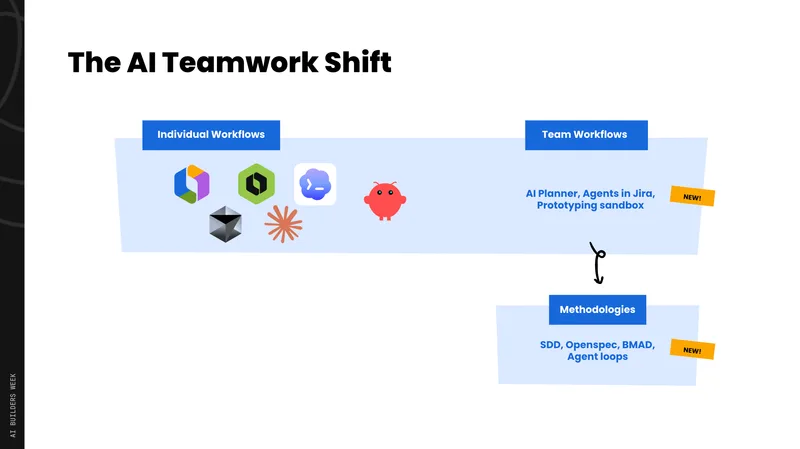
Why team workflows, not just individual ones
Despite incredibly capable agents now writing high-quality code, real productivity gains for software teams are often hitting a ceiling of efficiency. Two things are holding us back:
New bottlenecks have emerged
As time-to-code shrinks, friction moves to planning, intake, review, and operations - areas where PM, design, and research can directly help.
Agents are limited by the context we give them
Unlike a capable human with ingrained institutional knowledge, an agent is only as good as the spec, the context, and the intent it receives.
The new team loop
High-performing teams are now operating in a four-stage cycle:
Plan
Turn context into clear intent - specs, decisions, and structured tasks that humans and agents can act on.
Intake
Automatically capture signals from Slack, support tickets, Looms, and research and convert them into structured work items.
Execute
Scale execution with agents operating in parallel - dozens or hundreds working on behalf of the team.
Review
Review output at scale and feed insights back into the next agent run.
This loop isn't theoretical. Stripe's internal "Minions" product is landing 1,300 PRs per week with no human assistance beyond review - agents triggered from Jira, Slack, and Google Docs. One of our own teams at Atlassian adopted this approach, set up agent-ready architecture and guardrails, and achieved roughly a 10x increase in dev velocity.
Part 1: Planning - spec-driven development
Without clear specs, agents will confidently build the wrong thing. Every time. The problem isn't the agent - it's the ambiguity in the brief.
Spec-driven development (also called Specced Development or SpAD) is the practice of generating a set of artifacts - grounded in your outcomes - that act as a contract between you, your team, and the agent before any code is written.
The workflow
Define the problem and outcome
Anchor the agent in what you're trying to achieve, not what you want it to build.
Generate requirements and scope
Define exactly what the agent should work on - user stories, acceptance criteria, a project requirements doc.
Surface ambiguities - before handoff
Get the agent to self-critique, or bring in your team. Catching ambiguity early eliminates bugs and missing dependencies later. This is the step most people skip.
Create solution and architecture docs
Define how to implement it - including where changes should live in the codebase.
Hand off to the agent for execution
Review and validate
You now have a large body of context to validate against. Did the agent achieve what you set out in step one?
Planning is collaborative - not solo
The biggest misconception about spec-driven development is that it's a solo activity. The true value comes from getting your cross-functional partners - engineering, design, research - aligned on what you're building before anything gets built. Their input at this stage eliminates rework later.
The Jira AI Planner
A new AI-powered planning experience that turns a goal into a structured, ready-to-build plan. Here's what it does:
- Integrates with Jira and Confluence - making it easy to get your team involved directly in the planning flow.
- Pulls in code context automatically - setup you'd otherwise do manually in Cursor or Codex is handled here.
- Generates requirements docs as Confluence Live Docs - teammates can comment and the planner acts on that feedback.
- Produces a work breakdown - tasks with linked context, dependencies, and acceptance criteria ready to hand off to an agent.
- Both a design plan and a technical plan are generated from the same session.
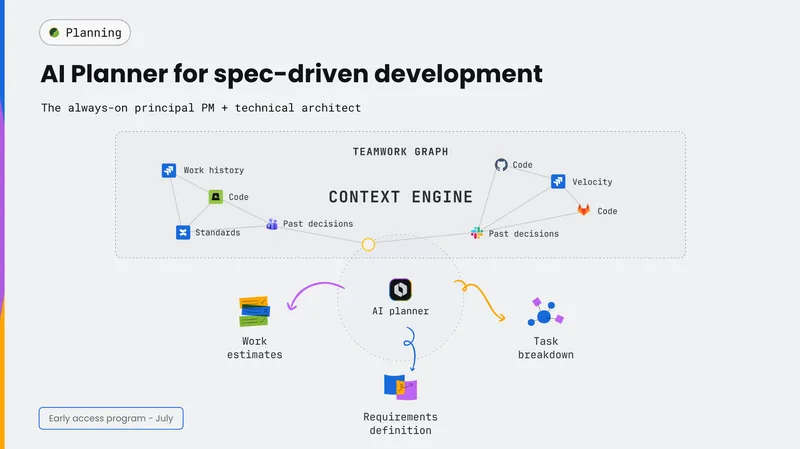
Part 2: Intake & triage - automating the messy front end
Information arrives in fragments - Slack messages, Loom recordings, support tickets, voice-of-customer feedback, community posts, Confluence comments. Managing this intake is overwhelming for a human, let alone turning it into structured, actionable work.
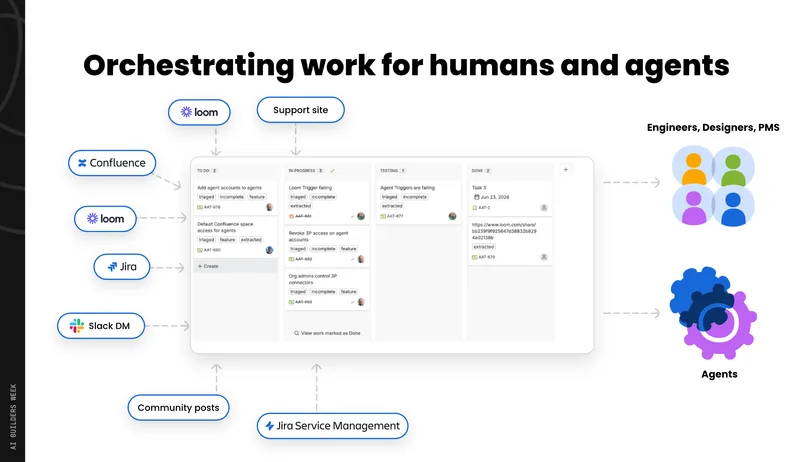
The goal: capture all of that context into a format that your team and your agents can act on - automatically.
Why Rovo Agents for this
General-purpose agents (Claude, Codex, Cursor) are excellent for open-ended, creative, chat-based work. But for repetitive, specialised, automated tasks that need to run around the clock and integrate safely with your existing tools, Rovo Agents are the right choice:
- Constrained to a defined set of tools - they can only do what you allow.
- Run autonomously without a human in the loop.
- Deeply integrated with Jira, Confluence, Slack, and other Atlassian products.
- Safe to run at 3am because their blast radius is strictly limited.
Two concepts to understand
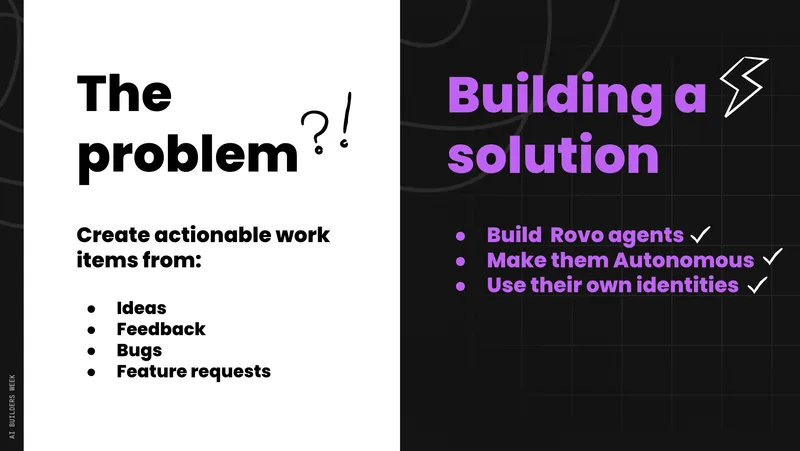
Autonomous mode
Agents can now act without requiring human confirmation for every action. Previously, all agents needed approval before doing anything - a major bottleneck for automation.
Agent identities
Agents can now have their own accounts, permissions, and identities. Previously, agents acted as you - not ideal when running overnight. Agent accounts act as themselves, with scoped access.
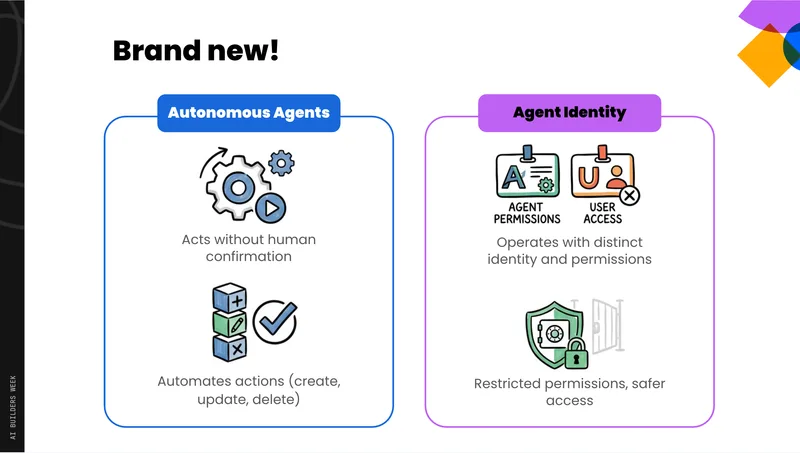
The Triage Agent
The number one use case across all Atlassian customers. Set up a Rovo Agent that automatically processes every new work item added to your board:
- Sets issue type (bug, feature request, feedback)
- Assigns to the right person based on your team's strategy
- Adds relevant labels
- Extracts key details (reproduction steps, expected behavior, priority signals)
- Flags items where more information is needed
How to wire it up - three steps:
Write your agent prompt describing your team's triage logic.
Go to the Triggers tab and add a trigger (e.g. "on issue created").
Set the Access to "Agent account" so it acts as itself, not as you.
That's it. The automation is created automatically - no JSON blobs, no complex automation rules.
The Loom Review Agent
Reads the Loom transcript, extracts bugs, feature requests, and feedback, and creates tickets in your project - which then get picked up by the triage agent automatically.
The Slack-to-Jira Agent
Type @jira in any channel to extract details from a conversation thread and create a work item directly - no context switching required.
Workflow transitions
Think of every transition in your team's workflow: should this step be autonomous or interactive? Some transitions are safe to fully automate (triage, labelling, assignment). Others benefit from an agent that creates an interactive session for the human to review before acting. You can now attach agents directly to board columns - when a work item moves into that column, the agent triggers automatically.
Part 3: Execution - agents doing the work
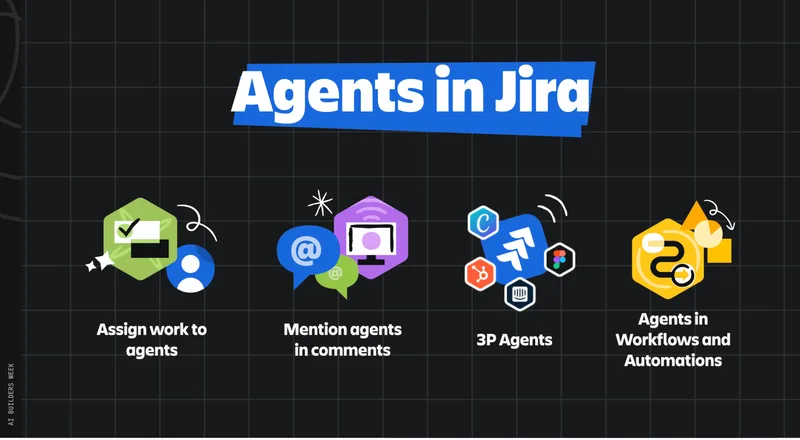
Once work is structured in Jira with clear context and acceptance criteria, agents can begin executing - not just assisting. There are three ways to invoke agents in Jira:
Assign work to an agent
Just like assigning to a teammate.
Mention an agent in a comment
@agent to kick off a session on a specific work item.
Automation triggers
Invoke agents automatically when work moves to a status or has a specific label.
A real example: keeping evals up to date
Customer feedback comes in via Slack.
The Jira Slack agent creates a work item with an "evaluation" label.
An automation detects the label and automatically triggers a coding agent session on that work item.
The coding agent updates the evaluation dataset and system prompt.
A PR is raised for human review.
No local setup required. The agent works directly in the context of the Jira issue. Beyond Rovo agents, a range of third-party coding agents are available and connectable to Jira workflows - worth exploring as you build out your team's pipelines.
Next steps
Pick one workflow transition in your team
Ask: should this be autonomous?
Set up a triage agent on your Jira board
Start with your team's triage logic and an "on issue created" trigger.
Try spec-driven development on a real project
Use Jira Planner.
Find one repetitive intake task and automate it
Loom, Slack, or support tickets are good candidates.