

Facilitator notes
Give teams a working session where they can apply the concepts to their own agents. This session helps participants move from ad hoc "vibe checks" to systematic, repeatable evals.

How to run No-code evals in Studio
Atlassian AI Builders Week curriculum
Take what's relevant and make it your own.
Evals are a new skill product managers and designers need to apply in their roles.
Show teams how to measure agent quality with repeatable workflows, then use the results to improve what they build.
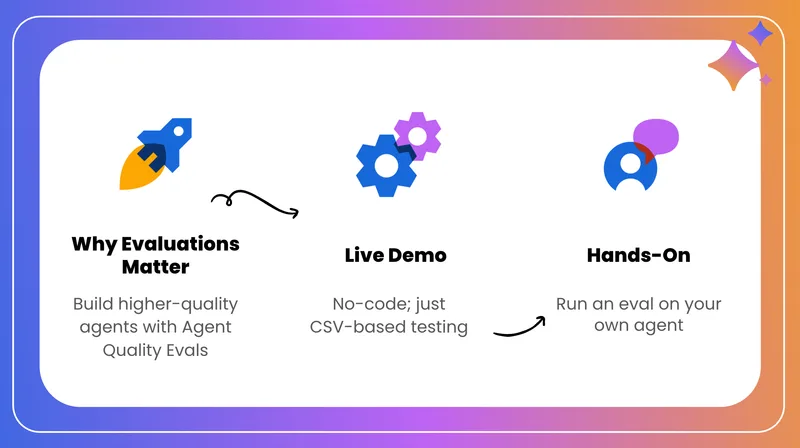
Why evaluate your agents?
Many teams start by testing agents informally — you type a few prompts, skim the answers, maybe paste results into a spreadsheet. This approach is slow, hard to repeat, and makes it easy to miss regressions when you change prompts, data, models, or tools.
Evals in Rovo Studio turn this into a structured, repeatable process. You define test questions, run them automatically against your agent, and get clear pass/fail signals and scores you can track over time.
Baseline quality
Understand your agent's current performance level.
Track improvements
See whether changes improve or degrade answers.
Catch issues early
Spot regressions before rolling out to users.
When should I run evals?
You don't need to run evals for every minor tweak, but they're very useful at key moments in the agent lifecycle:
- Launching a new agent Validate that your instructions and knowledge wiring give the answers you expect.
- Major prompt changes You've re-written the system prompt, added new scenarios, or changed how the agent should behave.
- Changing knowledge sources You add or remove Confluence spaces, Jira projects, external connectors, or MCPs.
- Preparing for wider rollout Before rolling from a small pilot to a broader audience.
Combine evals with manual spot checks, live trying, and user feedback. Evals give you a snapshot of quality at a point in time that you can compare across versions.
Eval types in Rovo Studio
Rovo Studio currently supports three main eval types. You can run them individually or in combination.
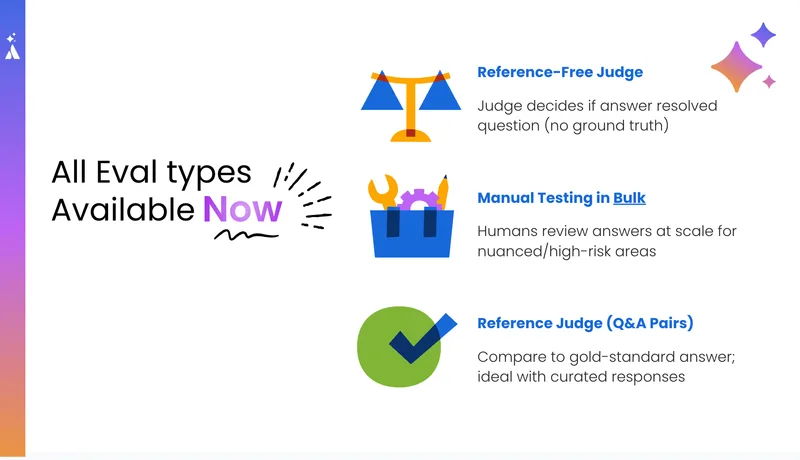
Manual evals
Upload a list of prompts. Rovo runs them against your agent and shows the responses. You manually review which are "good" or "bad".
When to use:
- When you're just starting with a new agent
- To quickly understand how the agent responds across a range of questions
- To build a "golden" Q&A dataset for later automated accuracy checks
Resolution evals (reference-free judge)
You provide prompts only. Each test is labeled as resolved or unresolved, and you see an overall score.
When to use:
- For support and help-center agents where the key outcome is: "Did the customer get what they needed?"
- When you don't have or don't want to manage explicit "golden" answers, but still want an objective quality signal
Accuracy evals (reference judge / Q&A pairs)
You provide prompts and expected answers for each test case. The eval compares your expected answer with the agent's actual answer and marks each test as pass or fail.
You get:
- An overall accuracy score
- A per-question breakdown (pass/fail, agent response, judge reasoning)
When to use:
- When you know what a "good answer" should look like for specific questions
- To validate instruction quality and knowledge setup
- For high-stakes flows where you care about consistency and correctness
How to run an eval in Rovo Studio
You'll need to be an editor or manager on the agent to run evals.
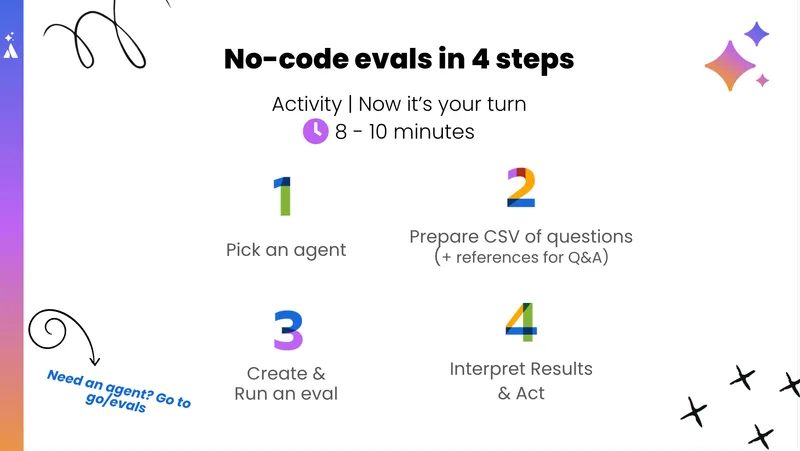
1Choose an agent
- Open Rovo Studio
- Select the agent you want to evaluate
- Go to the Evaluation tab
- You'll see two sub-tabs: Datasets and Evaluations
2Create a dataset
A dataset is your test suite: the prompts (and optional expected answers) you want to run.
- In Datasets, click Create dataset
- Give it a clear name (e.g., Help Center Q&A – April 2026)
- Upload a CSV file containing your prompts (and expected answers for accuracy evals)
- Review the preview — check that prompts and expected responses look correct
Tip: Use AI to generate datasets
Ask an internal agent or Rovo Labs to: "Take the last 50 questions from this Slack channel / JSM project / Confluence page and create Q&A pairs."
3Run an evaluation
- Switch to the Evaluations tab
- Click Run evaluation
- Choose one or more eval types: Manual, Resolution, or Accuracy
- Start the eval — runs may take a few minutes up to ~30 minutes
4Review the results
Once the eval finishes, open the Evaluation result and review:
- Overall score (e.g., 71% tests passed)
- List of prompts with agent responses and pass/fail status
- For some evals, judge reasoning
For failed answers, ask: Is the expected answer correct? Are my instructions clear? Are the knowledge sources appropriate?
How to act on what you learn
Evals are most useful when they lead to concrete improvements. Here are common patterns to look for:
Structure issues
Symptoms
- Answers are too long or too short
- Hard to scan
- Inconsistent in tone or format
How to fix
- Specify bullet points vs paragraphs
- State a preferred tone and length
- Provide 1–2 example answers in your prompt
Content issues
Symptoms
- Answers miss key details
- Pull from the wrong source
- Mix multiple unrelated topics
How to fix
- Remove noisy or irrelevant sources
- Add missing pages, projects, or connectors
- Write tailored instructions for common question types
Problems in your "golden" data
Symptoms
- Many "failures" where the agent's answer is actually reasonable
- Expected answers are overly strict or unrealistic
How to fix
- Manually review Q&A pairs for accuracy
- Loosen expected answers to reflect a good range
- Run a smaller test set first to validate updates
Best practices
Start small
Begin with 5–10 high-value prompts to learn the workflow and see patterns, then scale up.
Run at key moments
New agent, major prompt changes, new data sources, and before broad rollouts.
Iterate in tight loops
Spot a pattern → adjust instructions or data → rerun a small eval → then widen changes.
Combine with real usage
Evals give a controlled view of quality; customer feedback and live trying tell you how agents behave in real-world contexts.