

Facilitator notes
We think about our AI tooling in three big chunks: developer environments, multi-step tasks & running agents, and building your own apps.
This session is about turning a good AI idea into a repeatable, packaged experience that can scale across teams or customers. Unlike the agentic workflows session which focuses on personal and team automations, here we focus on shareable solutions: opinionated tools with their own UI, logic, and distribution, built using App Builder in Studio.
Below is the curriculum we ran, just so you can see one way to put this into practice. It'll keep evolving, and yours will look different based on your own organization's tools.

Forge & App Builder
Atlassian AI Builders Week curriculum
Take what's relevant and make it your own.
Atlassian's Studio App Builder lets you turn ideas into working Forge apps for Jira, Confluence, JSM, Compass, Bitbucket, and Studio, without needing to be a full-time developer. Especially useful for PMs, designers and other builders who understand workflow pain points but don't live in a code editor all day.
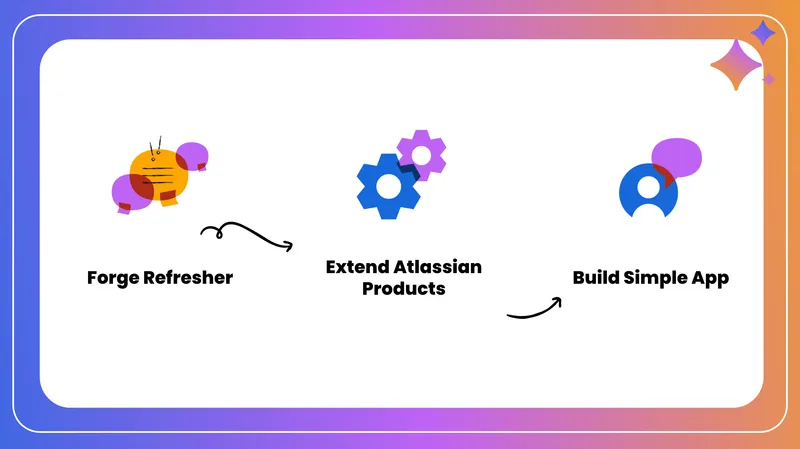
In this guide you'll learn:
- What Forge and App Builder are
- When a Forge app is the right solution
- How to create, test, and publish an app
- Key constraints, tips, and gotchas
What is Forge?
Forge is Atlassian's cloud extensibility platform for building apps that live inside Atlassian products.
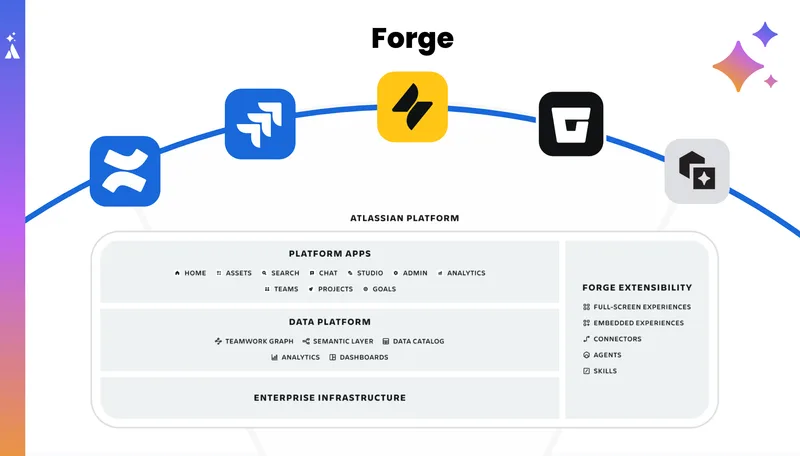
UI extensions
Issue panels, custom fields, full pages, banners in Jira. Macros, page panels, full pages in Confluence. Panels and views in JSM, Compass, and Bitbucket.
Backend behavior
Listen to product events (webhooks), run jobs on schedules, validate/transition Jira workflows, and call product APIs securely.
Key advantage
Forge apps run on Atlassian's infrastructure with built-in identity, permissions, data storage, residency, and compliance - no separate database or service to manage.
What is Studio App Builder?
A no-/low-code way to create Forge apps, living inside Rovo Studio alongside Agents and Automations.
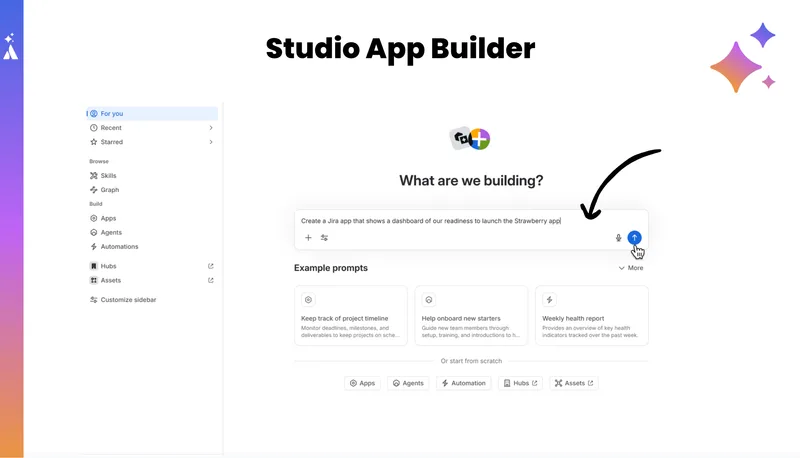
Start with natural language
Describe the problem or workflow you want to solve.
Solution architect agent decides
It determines if your problem is best solved by an automation rule, an agent, or a Forge app.
App Builder takes over
Writes an app spec, generates a UI preview, builds the backend and UI code, deploys and installs the app.
Iterate with the agent
Refine at each step - spec, UI, backend - through conversational feedback.
When should you build a Forge app?
App Builder will try simpler options first (e.g. automations). It only recommends a Forge app when:
Custom UI needed
Embedded panels, macros, or pages in Jira/Confluence/JSM.
Deep event integration
Listen to issue created/updated, page status changes, cross-object consistency.
Multi-product combination
A Jira panel that pulls Confluence data, or vice-versa.
Beyond automation limits
You've hit the ceiling of built-in automation/actions and need custom logic.
Typical use cases for AI Builders Week
Confluence macros
- DAISY / decision helper
- RACI / Responsibility matrix
- Embedded Jira views with custom formatting
Jira issue panels & workflow helpers
- Status hygiene helpers (auto-transition epics)
- "Definition of Done" checklists
- Design-review panels
Supported products
LLMs in Forge
You can use LLMs inside Forge via Forge LLMs (EAP) - access Claude models via the Atlassian AI Gateway. This is separate from calling Rovo's in-product experiences.
Creating a Forge app with App Builder
Start from Studio
Open Rovo Studio and describe what you want in the "create" box.
Create a Confluence macro that manages DAISY decisions with driver/approver/informed fields, notifications, and a small dashboard of active decisions.
I want a Forge app that adds a Jira issue panel showing a design review checklist.
Review the app specification
App Builder produces a text spec covering functional description, UI details, APIs/events, and data structures. You can accept as-is or iterate.
UI preview and refinement
App Builder creates a first-pass UI using Forge UI Kit (Atlassian Design System). Review the embedded preview and provide feedback via chat.
Try: "Make the macro more compact and single-column" or "Add a status pill next to each decision row."
Backend build and publish
Writes Forge functions, event handlers, and API calls. Wires UI to backend logic and storage. This can take several minutes - kick it off and work on something else.
Note: "Publish" here means deploy + install to a site, not publish to Marketplace.
Installing and testing your app
Use a personal test site
Create or use a free personal/test site where you are an admin. Choose your test site in the Publish step.
Test in product
For Confluence: Edit a page → Insert macro → find your macro. For Jira: Open an issue → look for the new panel/field.
Expect early bugs - that's normal!
When something doesn't work, capture:
- What you did
- What you expected
- Any error text
Then go back to App Builder, paste the error, and ask it to fix the bug.
Debugging and going deeper
Developer Console
From App Builder, click "View in developer console" to inspect logs, metrics, and storage.
dev.atlassian.comDownload the code
Click "Download code" to get a zip. Open in VS Code, Cursor, or Rovo CLI for full control.
Many builders use App Builder for 80–90% of the app, then switch to pro-code tools for polish.
Getting apps into production
Forge apps are owned by the Atlassian account that created them. To get an app into a shared site, you must go through site/org admins and likely a security review.
"Runs on Atlassian"
Only use Forge storage and Atlassian services. Avoid external data egress. This is the strongest trust signal.
Constrain scope
Use display conditions, project/space filters, and feature toggles to restrict where the app appears.
Be mindful of load
Event-driven apps can be noisy. Use narrow filters, batching, or schedules to avoid rate-limit problems.
Add collaborators
From the Developer Console, add collaborators so others can see logs, metrics, and help maintain the app.
Using AI inside Forge (Forge LLMs)
Access Claude models via the Atlassian AI Gateway from Forge functions using Forge LLMs (EAP).
Summarization
Rewrite or summarize inside your macro or panel.
Classification
Extract or classify from issue descriptions or page content.
AI helpers
Lightweight AI assistants wired into your custom UI.
Example internal apps
Issue Status Helper
- Listens to Jira events and enforces hygiene
- First story In Progress → epic moves to In Progress
- All stories Done → epic resolves
- Simple config UI per project
Decision Helper
- DAISY macro for decision records
- Captures Driver / Approver / Contributors / Informed
- Handles notifications and approvals
- Dashboard of open decisions with status & age
Tips for success
Start with a real pain point
A friction your team actually feels in Jira/Confluence/JSM - something that'll never get prioritized but would help a lot.
Be explicit with your prompt
Describe the problem, the workflow, basic UI desires (compact, single column, macro vs panel), and include needed fields/steps.
Treat early versions as prototypes
Expect bugs and rough edges. Use App Builder's agent to iterate, then move to dev console if needed.
Think about lifecycle from day 1
Where should this appear? Who will maintain it? How could this break at scale? Plan for scope, collaborators, and rate limits.
Use Forge as your escape hatch
If you hit a wall with agents or automations, ask: "Could a small Forge action or panel fill this gap?"
Stop waiting for "some engineer someday"
By combining Studio App Builder with Forge, you can start building the glue and helpers you need - safely, inside the Atlassian platform.